DE Assessment on ipads
Definition of Digital Easel is:
(Paper) easels in the assessment world typically consist of a spiral-bound booklet that can be positioned so one person can view one side and the examinee can view the other. (These are heavy and large items that have to be moved from one place to another).
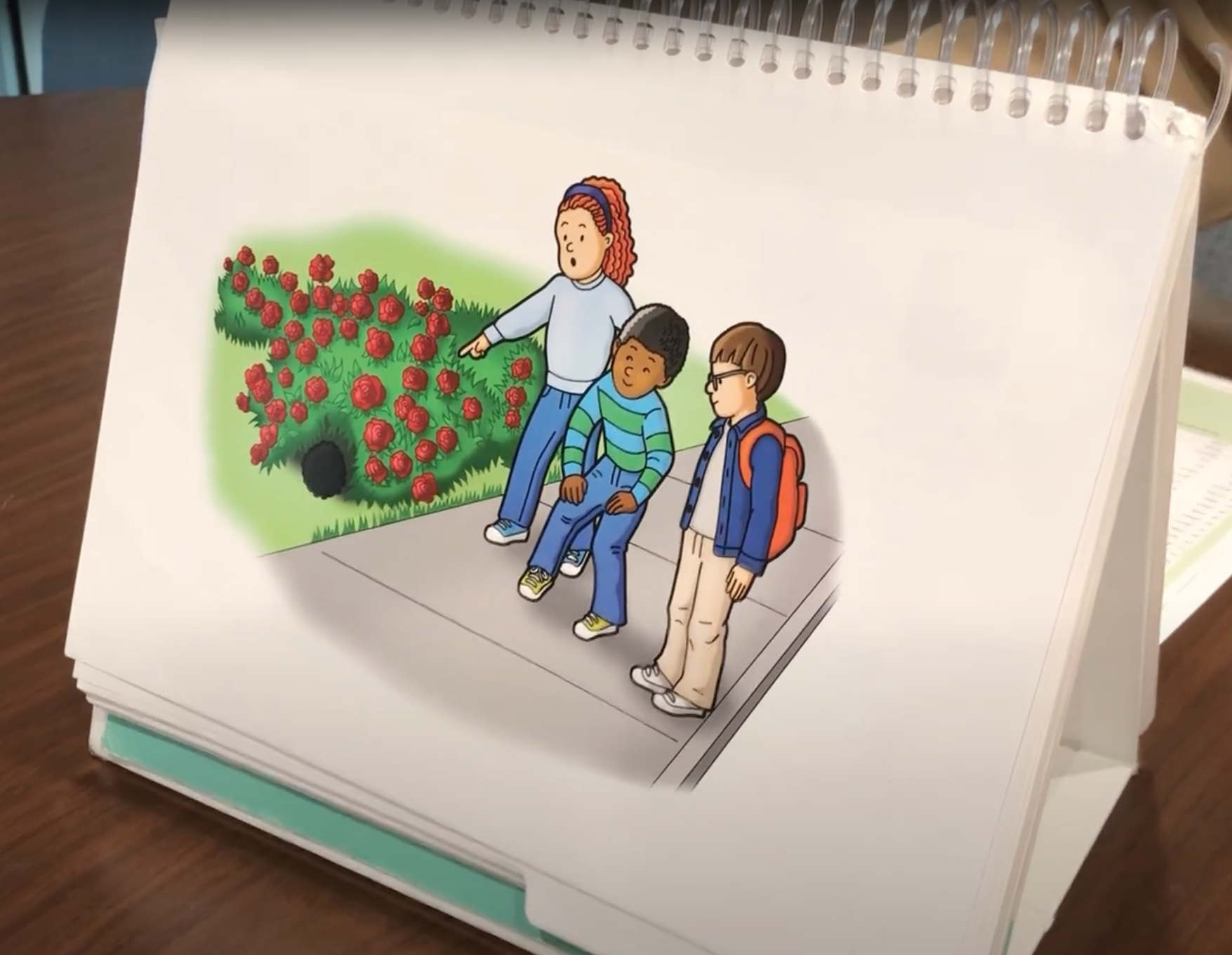
Easel Example
Printed “easel” example. Imagine how it would translate to
2 synced ipads.
Problem Statement
WPS offers paper-based administration on trusted products such as the CASL-2, OPUS, OWLS-II, and PPA scales in an easel print format. WPS had a challenge to address with remote administration quickly and launched an intermittent solution to ensure our customers continued to have access to their favorite products.
The current digital easels solution was implemented as an interim solution and enabled our customers to access their products and materials digitally during the pandemic. However, the current solution is not ideal for our customers, who have expressed frustration with managing different materials during the administration. The new proposed digital easel solution would address current customer pain points and enable us to launch future assessment products. In addition, the digital easels solution will allow practitioners to generate and administer assessments in an all-digital experience.
Who is this product for?
The primary users of the digital easel solution will be practitioners such as school psychologists, speech-language pathologists (SLP), and occupational therapists (OT) that are seeking to conduct an individual direct performance test of their clients or students.
Markets: Schools | Private Practice | Healthcare
In our user research, we found two types of users: the reluctant and the eager user.
Adjectives: Open – Independent – Flexible – Tech-savvy
“We’re looking forward to being able to use the digital copies.”
Personas:

Lauren Cook, 35
“The Eager User”
Lauren is very passionate about her job but wishes there was a better way of doing things. Her time is precious, and she would rather not waste any time driving an hour to her school district office to drop off and pick up easels when she needs certain materials. She tested Q-Interactive for Pearson and is looking forward to when diagnostic assessments are widely available online.
· Employed as a district SLP for 7 years
· Typically administers between 20 and 30 assessments a year
· Interested in technological innovations happening in the field
· Familiar with digital tools available from WPS and other companies
· Considers herself tech-savvy
Adjectives: Hesitant – Fearful – Determined – Practiced/Experienced
“Looking for digital materials was an issue. Number two [issue] was getting to learn those materials and how to utilize them.”

Veronica Rowland, 62
“The Reluctant User”
Veronica is incredibly knowledgeable about her field, but that means she also has very strong opinions on products and processes. She knows what she likes, and it can be difficult to change her mind. She has been successfully and accurately diagnosing students with paper protocols for the better part of the last 4 decades, so why fix what isn't broken?
· Licensed SLP for 35 years, working with schools for 30 years
· Typically administers around 35 assessments during a school year
· Keeps up to date about new products and breakthroughs in the field
· Considers herself technologically moderately proficient, and only with the tools that she uses
· Requires consistent use of digital tools to keep proficient
“Only things preventing me [from using digital easels] are technological issues & the time constraints.”
It's harder online to know how someone's feeling or how they're behaving because you only see so much of them.
“Now that the products are out digitally, 95% of our staff will be that way.”
There is a ton of anxiety associated with using digital easels.
We want to make sure everybody has access to the same materials
You can't be concerned about all the what ifs - If you don't jump in you're not going to be able to administer digitally.
“Getting to learn those digital materials was another issue.”
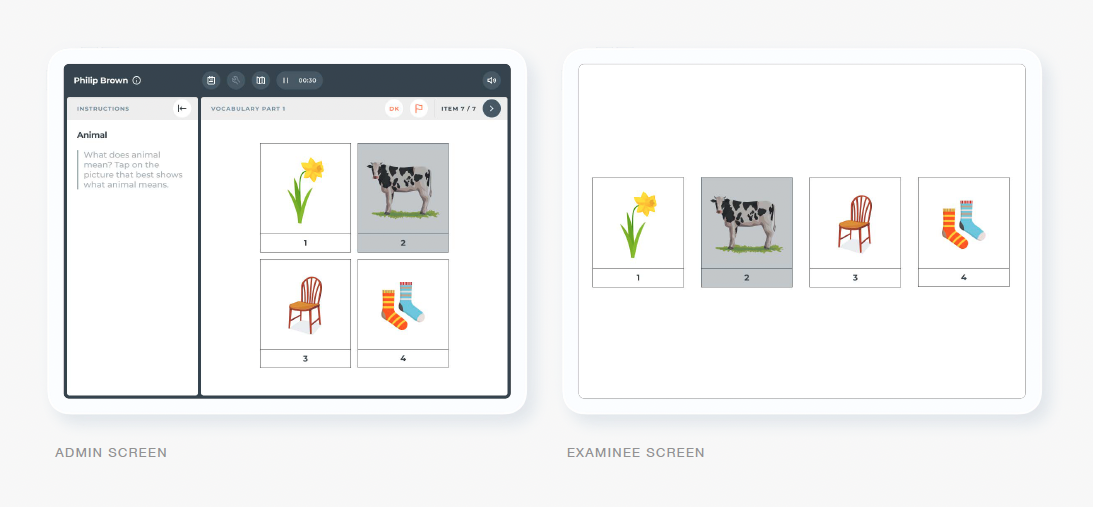
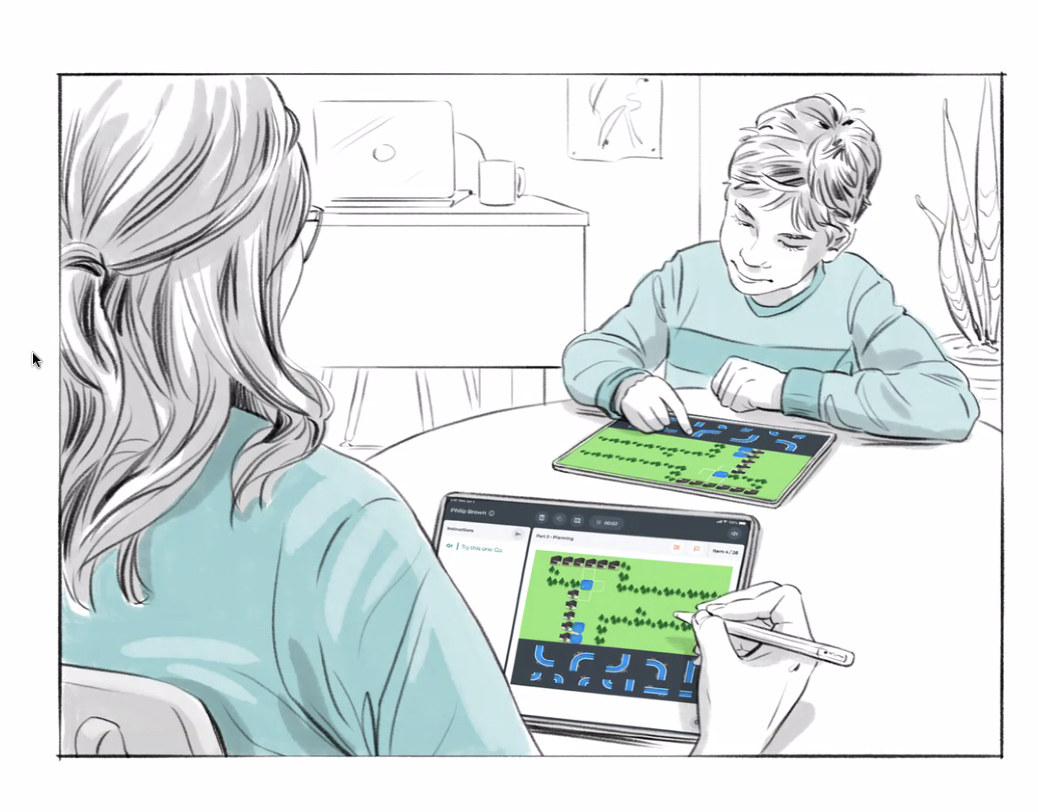
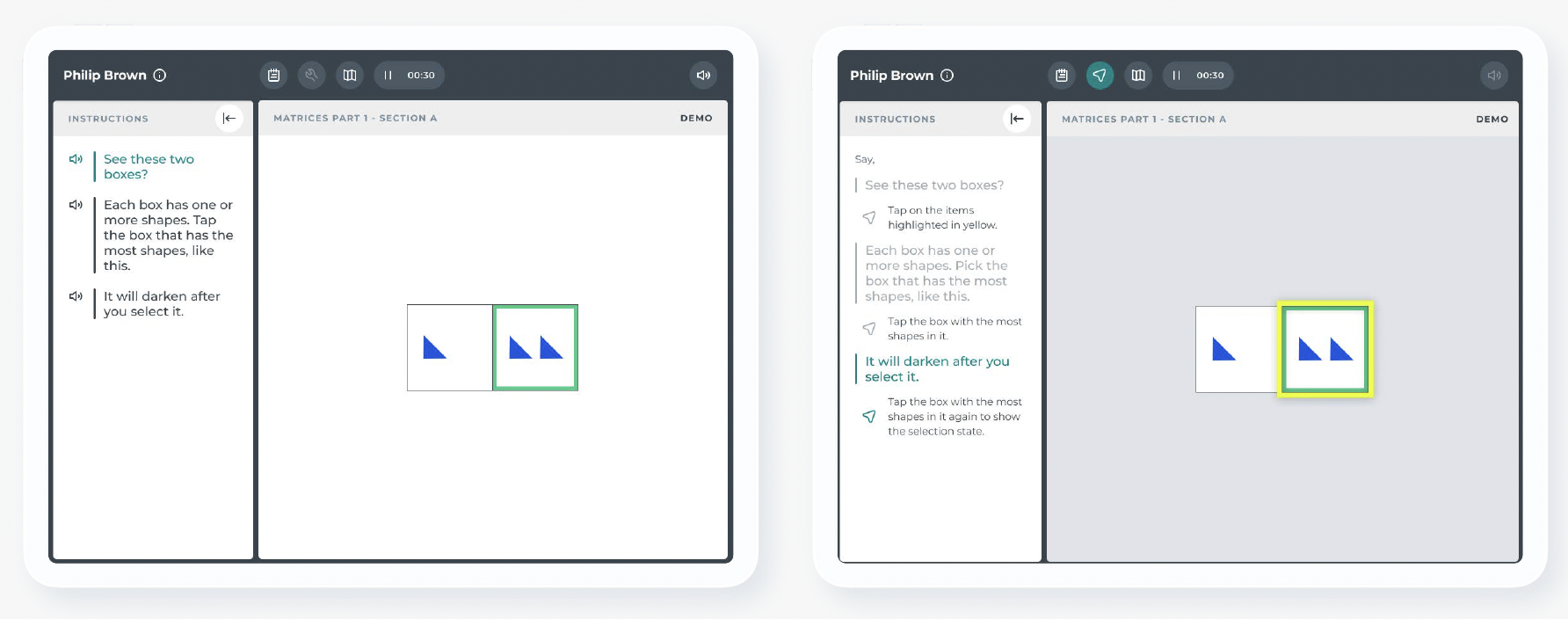
Example of a vocabulary assessment showing the two synced ipads
Problems to Solve
Looking at our publishing plan and our user findings, we have a set of key problems to solve when building the new digital easel solution for our business and customers.
WPS unable to support future easel product releases
WPS is currently unable to support features and functionality needed for the release of APLS and OWLS-3 assessments (e.g., embedded audio & controls, timer, respondent screen control tools)
Difficulty managing multiple materials
Our practitioners currently manage multiple assessment materials: stimulus form, instructions, paper score form, and online scoring for reporting. The current solution requires practitioners to allocate some prep and setup time before conducting an assessment. In addition, the practitioner must manually move all materials to keep them in sync during the administration, which extends the administration time and frustrates the practitioner.
Navigating easel subtest & items
Depending on the assessment, our practitioners might need to navigate back to an item or skip a section or set of items. The practitioner might also be required to keep track of basal (starting point) and ceiling (end point) rules in each subtest for each client, which makes administration more difficult.
Unsupported devices
Our customers are often restricted by the technology rolled out at their organization. The devices vary from desktop, laptop, and tablet devices with different operating systems. Practitioners need to be able to use whatever technology is available to them.
Difficulty administering remotely
Practitioners have found administering assessments remotely to be challenging. They experience internet connectivity issues, lack of control of the client’s assessment environment (volume control, noise & distractions, screen size), trouble keeping the client engaged, and often require assistance from a parent or guardian.
Keeping students focused
Whether the administration is online or in-person, the practitioner must keep the respondent focused and engaged to complete the assessments. Often, the student might not be interested in the stimulus or get bored from a lengthy assessment process.
Benefits
All digital administration
Accessible across multiple devices
In-person & remote assessment
Experience
Seamless assessment navigation & administration
Keeps respondent engaged
Shorter administration times
Features
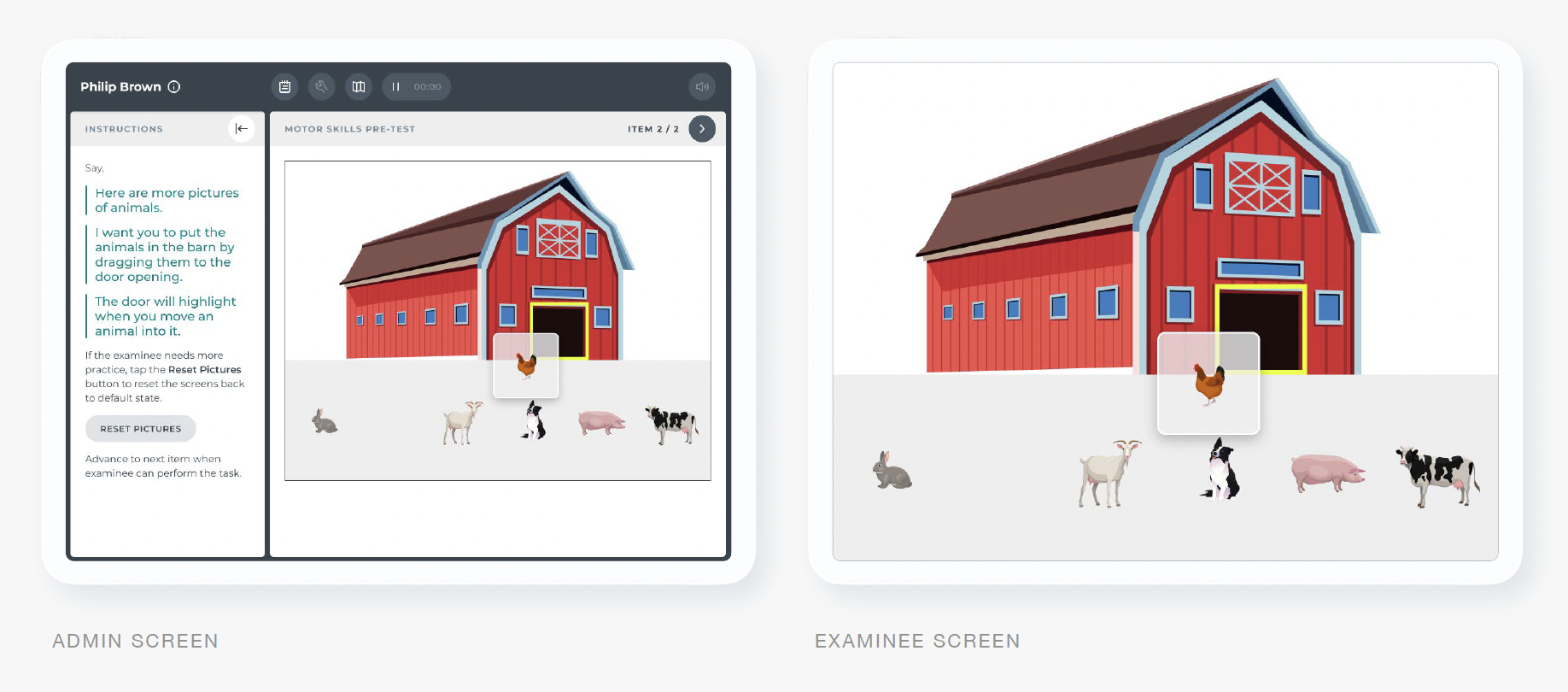
Respondent view & controls
Integrated instruction guide & response capture
Annotation & pointing tools
Basal & ceiling guide
Practice/sample items
Image & text choice
Audio
Timer
Note taking
Item bookmarking/flagging
Automatic scoring